
Email Automation: Building Follow-Up Systems Without Making the Customer Experience Feel Robotic
A potential customer submits a form and hears nothing for two days. Another asks for information, receives one response, and is never contacted again. A current customer needs a reminder, but someone on the team has to remember to send it manually.
These gaps can cost businesses opportunities and create an inconsistent customer experience.
Email automation can help businesses create more reliable communication by connecting specific customer actions with timely follow-up. The goal is not to automate every conversation. It is to use technology for predictable communication while preserving human attention for the moments that require judgment, context, or a personal response.
For businesses generating leads through search, advertising, websites, or other digital channels, that distinction matters. Attracting a prospect is only the beginning. The systems behind the marketing should help the business respond after someone shows interest.
Masterly Tech works with businesses on digital marketing, technology, and automation solutions designed around their goals and workflows.
A New Lead Is Only Valuable if Someone Follows Up
Businesses spend time and money attracting potential customers.
A prospect may find the company through Google, visit the website, read about a service, and submit a contact form.
Then what happens?
In some businesses, an employee receives an email notification and responds manually. If the message arrives during a busy period, it may sit
unanswered. If the responsible employee is unavailable, another person may assume someone else handled it.
The marketing worked. The follow-up system did not.
An automated email follow-up can help close that gap by providing an immediate, appropriate response while the lead moves into the business's normal follow-up process.
Automation should support the team, not replace it.
Email Automation Should Solve Communication Gaps
The best reason to automate an email is not simply because the technology allows it.
There should be a clear business purpose.
For example, a business may repeatedly need to:
- acknowledge new inquiries;
- confirm that a form was received;
- send requested information;
- follow up after a prospect takes a specific action;
- remind customers about an important next step;
- continue communication with leads who are not ready to act immediately; or
- notify the appropriate team member when human attention is needed.
These are predictable communication moments.
Email automation can create a structured response around them.
The result can be a more consistent experience while helping the team save time instead of relying on an employee to manually remember every routine message.
Email Workflows Create Structure Around Follow Up Email
A single automated email can be useful.
Email workflows go further by connecting messages with customer actions, timing, and business rules.
Consider a potential dental patient who finds a practice through search and submits an online inquiry.
The first communication may simply confirm that the inquiry was received.
The workflow may then need to account for what happens next.
Did the person respond?
Did someone from the practice make contact?
Is further information appropriate?
Does the inquiry require a human response rather than another automated message?
A thoughtful workflow considers these different paths.
The objective is not to send more emails. It is to send the right communication at an appropriate point in the customer journey.
Automated Email Follow-Up Should Still Feel Human
Poor automation is easy to recognize.
The message feels generic. It arrives at the wrong time. It ignores what the person already did. It continues sending sales messages after the customer has responded.
That is when automation begins to feel robotic.
Good automated email follow-up should reflect context.
A new inquiry should not receive the same communication as a long-term customer. Someone who has already spoken with a team member should not continue receiving messages that act as if no conversation occurred.
Personalization also means more than placing a first name at the top of an email; it uses customer data to tailor messages to the person’s context and behavior.
The workflow itself should respond appropriately to what has happened. This kind of personalized communication often improves engagement and conversion rates.
This is where automation rules become important.
Automation Rules Determine What Happens Next
Automation needs logic.
A triggered email begins because something occurred, and triggered emails work the same way. That event could be a form submission, a customer action, a change in status, or another defined event supported by the business's systems.
The automation then needs rules governing what happens next.
For example:
Trigger: A prospect submits a service inquiry.
Response: The system sends an acknowledgment as one of the business's transactional emails.
Condition: The prospect responds or is contacted by the business.
Next action: The automated sequence changes or stops based on the configured workflow.
These rules help triggered campaigns react when a prospect shows serious interest instead of continuing the same sequence.
This type of logic helps prevent automation from operating blindly.
Strong automation rules should account for situations where the customer's behavior changes the appropriate next step, so the business can respond at the right moment rather than on a fixed cadence.
The technology should support the conversation, not continue talking when it should be listening.
Lead Nurture Helps Businesses Stay Connected in the Sales Funnel
Not every prospect is ready to make a decision immediately.
Someone may research a service today and return weeks later. In some businesses, the sales cycle can run 12 to 24 months before a lead becomes a customer, which is why ongoing follow-up matters.
Without a follow-up process, the relationship may disappear after the first inquiry.
Lead nurture can help businesses nurture leads through useful, relevant communication, and segmenting customers improves the effectiveness of lead nurturing campaigns.
This does not mean repeatedly asking the prospect to buy.
A thoughtful nurture sequence may answer common questions, provide relevant information, explain a service, or give the prospect another opportunity to continue the conversation.
The content should reflect the customer's stage in the sales funnel.
A person making an initial inquiry may need different information from someone who has already spoken with the business.
That distinction helps automation feel more relevant.
Triggered Email Can Make Timing More Relevant
Timing is one of automation's biggest advantages, especially when triggered emails handle routine responses in the background.
A manual email depends on someone noticing that an action occurred.
A triggered email can respond to a defined event automatically. Triggered emails can increase engagement by 70%, which is one reason timing matters.
For example, someone submitting a website form can receive an acknowledgment without waiting for an employee to notice the notification.
The business can still follow up personally.
The automated message simply creates a more consistent first response.
This can be particularly useful when leads arrive outside normal business hours or when teams manage a high volume of inquiries.
The customer knows the submission went somewhere.
The business gains time to provide the human response the situation may require, while helping meet customer expectations when someone reaches out outside normal business hours.
Customer Follow-Up Should Know When to Stop Automating
Automation should have boundaries.
Some conversations require empathy.
Others involve unusual questions.
A customer may be frustrated, confused, or dealing with circumstances that do not fit a standard workflow.
These are moments where customer follow-up may need human judgment.
A well-designed automation system should account for handoff points.
If a customer responds, the workflow may need to pause.
If an issue requires a team member, automation should help route the situation rather than continue sending generic messages.
If a prospect takes the desired next step, messages asking that person to take the same step should stop.
Knowing when not to automate is part of good automation design.
Email Automation and Marketing Automation for Dental Marketing Should Work Together
For a dental practice, attracting website traffic is only part of the digital marketing process.
A prospective patient may discover the practice through search, review service information, and then make contact as part of how the site reaches its target audience.
That transition from website visitor to inquiry is critical.
A strong dental digital presence should therefore be supported by a clear follow-up process.
Search visibility can create discovery.
The website can create interest.
A form or call-to-action can create an inquiry.
Then the practice needs a reliable way to continue the conversation.
For practices investing in organic visibility, Masterly Tech's Dental SEO services can support the search side of that customer journey, while automation can help create structure around appropriate digital follow-up.
The two functions serve different purposes, but they can support the same business objective: creating a smoother path from discovery to conversation and help convert leads after the practice generates interest online.
A Practical Framework for Email Automation
Businesses evaluating their email workflows can use four questions: trigger, message, decision, handoff.
Trigger
What customer action should begin the workflow?
There should be a clear reason for the automated communication. A few examples include a contact form submission, a visit to your pricing page, or a completed purchase. You can also use date based triggers when timing matters.
Message
What does the customer need at that moment?
The email should have a useful purpose rather than simply filling space in a sequence, whether that means sending targeted emails that match where the person is in the journey. Dynamic content can personalize product recommendations or other message elements based on what the person has done.
Decision
What customer action changes what should happen next?
Automation rules should respond to behavior and customer segments instead of treating every recipient identically.
Handoff
When should a person take over?
The workflow should recognize the point where human judgment, service, or conversation becomes more valuable than another automated message. That is usually the point where it makes sense for a team member to continue the conversation personally.
This framework keeps automation focused on customer experience.
Email Workflows Should Reflect the Brand
Every automated message speaks for the business.
That means tone matters.
Timing matters.
Clarity matters.
Measuring opens and conversions helps refine each email campaign over time.
A premium service business should not sound careless simply because the email came from an automated system.
The communication should reflect the same professionalism a customer would expect when speaking with a person from the company.
That includes avoiding unnecessary messages.
Sending more emails does not automatically create better communication.
The goal is a workflow that feels intentional, and testing elements such as the subject line can improve engagement metrics without changing the brand voice.
Automation Can Support the Team Behind Customer Satisfaction and Experience
Email automation is not only about what the customer receives.
It can also support internal processes. Email marketing systems also need list hygiene, including regularly cleaning your email list to help protect sender reputation. They should also maintain compliance by including clear opt-out links where appropriate.
Depending on the systems involved, workflows may help notify team members when attention is needed or organize follow-up around defined events.
That can reduce dependence on individual memory.
Instead of expecting employees to remember every routine step, the workflow can provide structure while people focus on conversations requiring their expertise.
This is where automation becomes a business system rather than simply an email tool.
Visual Explainer: A Human-Centered Email Automation Workflow
Customer ActionA prospect submits an inquiry or takes another defined action.
↓
Automated EmailsThe system sends an appropriate acknowledgment or follow-up.
↓
Customer ResponseThe workflow evaluates what happened next.
↓
Automation RulesThe sequence continues, changes, pauses, or stops based on configured conditions.
↓
Human HandoffA team member takes over when judgment or direct conversation is needed.
↓
Customer Follow-UpThe business continues the relationship through the appropriate channel, including ongoing follow ups where appropriate.
The objective is not maximum automation. It is better coordination between technology and people.
Masterly Tech Can Help Connect Marketing With Follow-Up
Businesses often invest heavily in generating leads while giving less attention to what happens after those leads arrive.
Masterly Tech approaches digital marketing and technology as connected business functions.
For organizations considering email automation, the opportunity is to support a broader marketing automation strategy by building workflows around real customer actions and business processes, with the potential benefits tied to how inquiries are handled, leads are followed up, and customers are served.
That may include evaluating how website inquiries, digital marketing, customer communication, and follow-up fit together so the business can choose the right tools instead of layering on disconnected automations.
The result should support the people responsible for serving customers, not create another system they have to fight.
Email Automation Should Match the Message to the Customer Moment
Effective email automation is not about protecting the status quo or adding another add on to a marketing platform. It should help a business send relevant messages based on different triggers, whether someone becomes one of your new subscribers, follows up after a networking event, shows interest in a high value service, or takes another meaningful action.
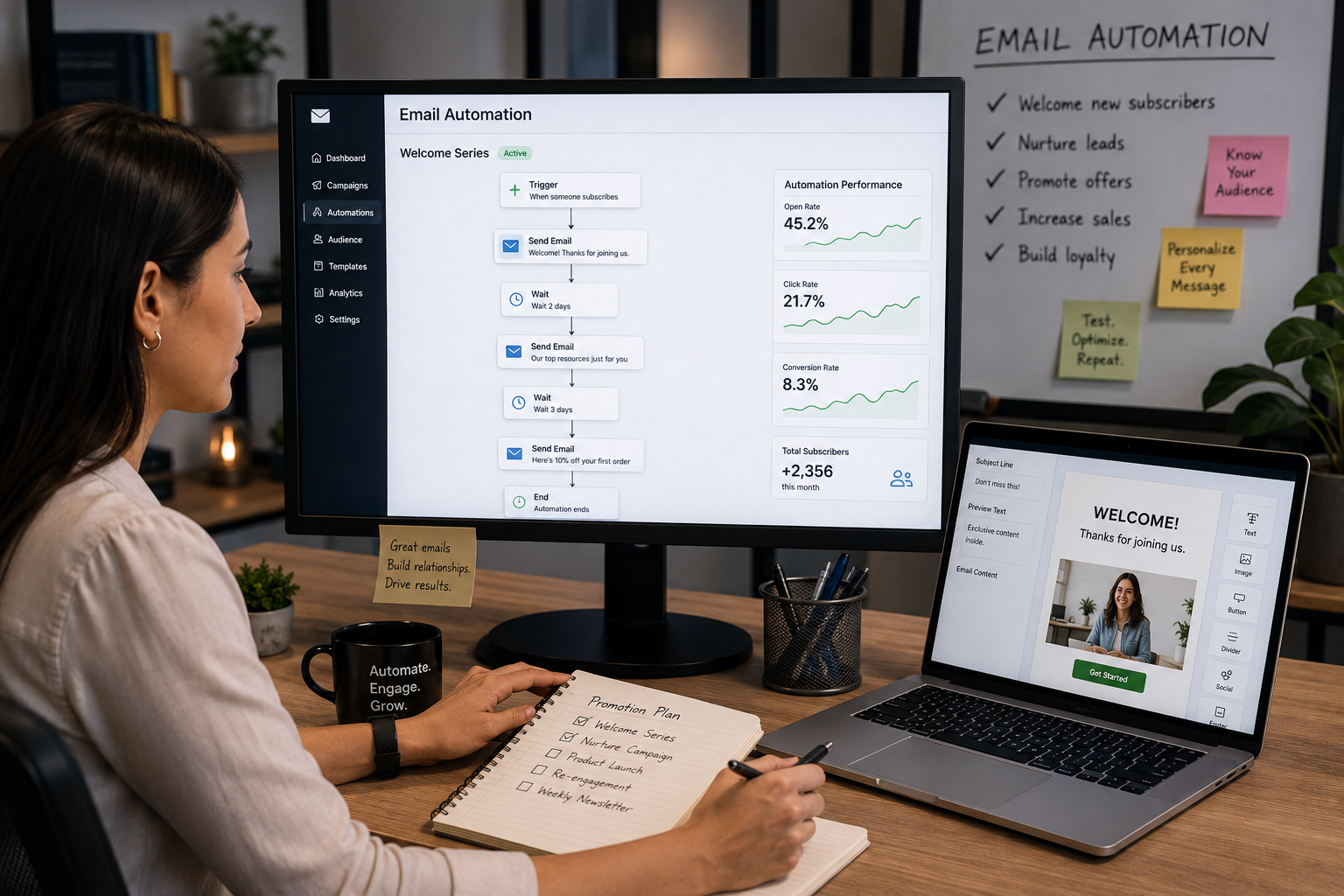
The right message should support the company's marketing goals and the customer's current relationship with the business, rather than forcing every contact into the same sequence. An email editor can help create and manage the communication, but the workflow behind it determines whether the message arrives at the right time. Common automation use cases include welcome follow-up, lead nurture, cart abandonment for businesses that sell online, cross sell communication when appropriate, and customer re-engagement.
These five examples could be organized in the following table when planning a campaign, but businesses should evaluate each use case against their own customer journey instead of copying a generic sequence. Measures such as open rates can provide useful information about email performance, but they should be considered alongside the larger goal of creating timely, useful communication that encourages the appropriate next step.
Frequently Asked Questions About Email Automation
What is email automation?
Email automation uses predefined triggers and rules to send or manage email communication when specific events occur, and many companies use it within broader marketing automation and sales process workflows.
What is an automated email follow-up?
An automated email follow-up is a message or sequence sent based on a defined customer action, status, or timing rule, such as a follow up email after a form submission, demo request, or abandoned cart. Personalized triggered emails can boost clickthrough rates by 75%, which is why context matters in follow-up.
What are email workflows?
Email workflows are structured sequences that connect triggers, messages, conditions, and follow-up actions. Depending on the business model, they can include a welcome email sequence, order confirmations, or other triggered campaigns.
What is a triggered email?
A triggered email is sent when a predefined event occurs, such as a customer submitting a form or completing another tracked action; for example, it might be a purchase confirmation or another transactional message sent automatically afterward.
Can email automation help with lead nurture?
Yes. Lead nurture workflows can maintain appropriate communication with prospects who may not be ready to act immediately. These campaigns are often designed to provide insights, answer questions, and keep communication relevant over a longer sales cycle.
Does email automation replace personal customer follow-up?
It should not replace human judgment where personal attention is needed. Automation can handle predictable communication while workflows create handoff points for the team.
How do automation rules improve email workflows?
Automation rules determine what happens based on customer actions or other defined conditions. They can help a workflow change, continue, pause, or stop appropriately.
Can email automation support dental marketing?
Yes. A dental practice may use appropriate automation to support follow-up after digital inquiries. It can also help with post-appointment or treatment-related messages that support customer retention. This can complement marketing efforts that help prospective patients discover and contact the practice.
Request an Automation and Workflow Consultation
Your marketing should not work hard to generate an inquiry only for the follow-up process to depend entirely on someone's memory.
Thoughtful email automation can connect new inquiries, automated email follow-up, lead nurture, triggered email communication, customer follow-up, and human handoffs through a more organized workflow. Better-timed automation can help small businesses pursue more deals and create new business without relying on manual reminders for every step.
Masterly Tech can help businesses evaluate how marketing technology and follow-up systems fit together while keeping the customer experience at the center.
Call Masterly Tech at (888) 209-4055 or visit MasterlyTechGroup.com to discuss your digital marketing and automation needs, including help assessing access to the right tools and comparing options with other providers if needed.










