
Google Indexing: Why Important Pages Stay Out of Search and What to Check First
Your business launches an important new service page. The design looks professional. The content answers the right customer questions. The page is live, linked from the website, and ready to attract search traffic.
Then it seems to disappear.
If an important page is missing from Google, publishing more content may not solve the underlying problem. Google indexing depends on more than whether a page exists. Google must be able to discover and access the page, process its content, and determine whether that URL belongs in its index. Google also states that indexing is not guaranteed, even when a page meets its technical requirements.
For a business, this is more than a technical concern. A page that cannot properly enter Google's index has little opportunity to compete for the searches it was created to reach.
Masterly Tech helps businesses connect website design with search visibility, including website optimization and technical SEO services.
Google Indexing Problems Can Hide Behind a Good-Looking Website
A website can look excellent to customers while sending very different signals to search engines.
The navigation works. Images load. Forms function. The copy is polished.
Yet an important page may have an unintended noindex directive, point toward another URL through its canonical tags, be difficult for crawlers to discover, or sit within a website structure that creates confusing versions of the same content.
That distinction matters when businesses redesign or expand their websites.
Website design should consider both the human visitor and how search engines can access and interpret important content.
Google describes Search as moving broadly through crawling, indexing, and serving results. A failure or conflict earlier in that process can affect whether a page has a chance to appear later.
Start With the Google Index Status in Search Console, Not Assumptions
When an important URL is missing, the first question should not automatically be, "What new content should we publish?"
The better question is, "What is happening with this specific URL?"
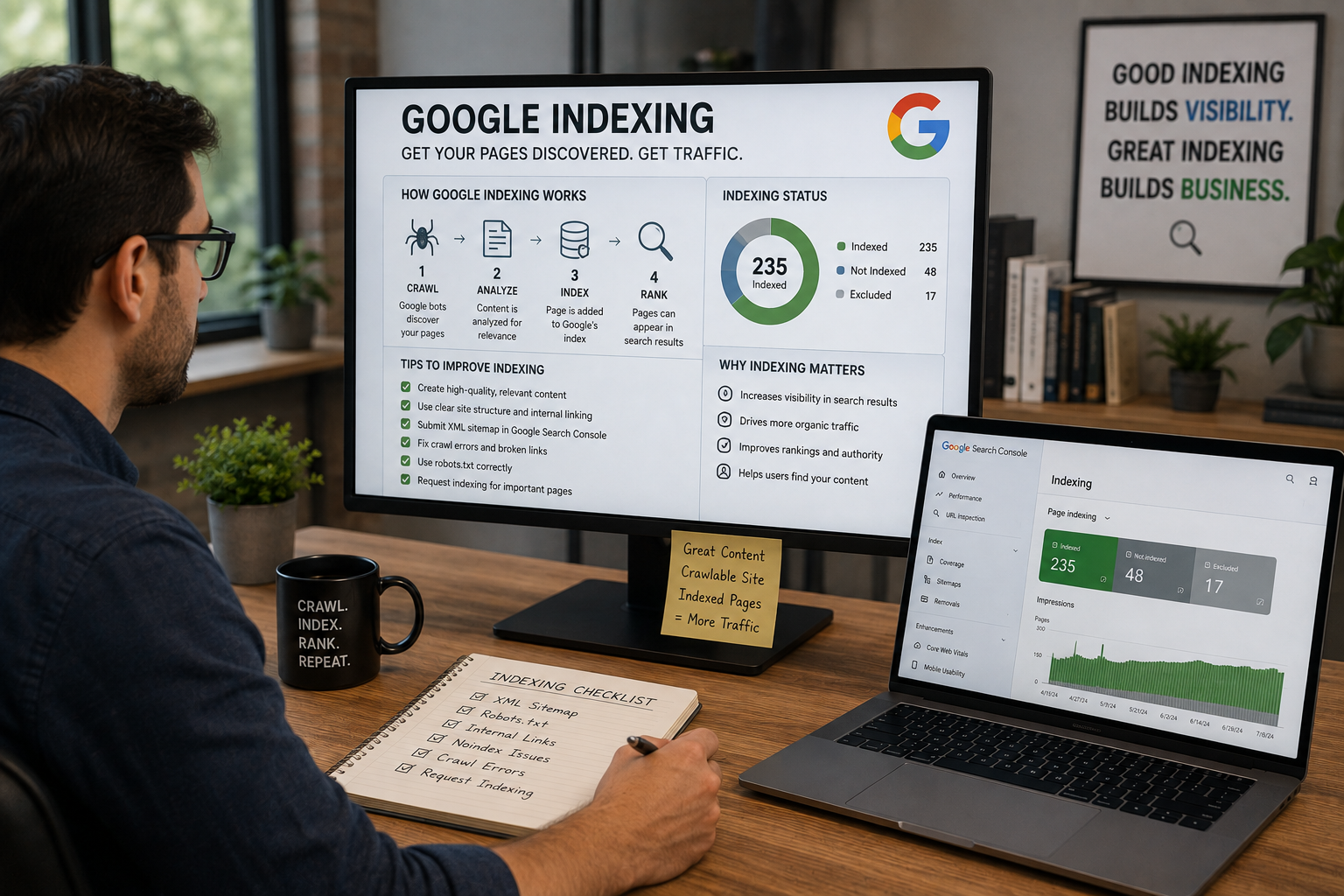
The Google index status can help separate different kinds of problems.
Has Google discovered the URL?
Can Google access it?
Has the URL been crawled?
Is there an indexing restriction?
Does Google consider another URL the canonical version?
These are different situations and may require different responses.
Google recommends Search Console tools such as the Page Indexing report and URL Inspection when evaluating whether pages are accessible and indexable.
Good indexing diagnostics therefore begin with evidence rather than assumptions.
Crawlability Comes Before Search Visibility
A search engine needs a practical way to reach important pages.
That makes crawlability one of the first areas worth examining when an important page is absent from search.
Google's technical requirements state that Googlebot must not be blocked, the page should return a successful HTTP status, and the page must contain indexable content to be eligible for indexing. Meeting those requirements still does not guarantee indexing.
Website structure can influence discovery as well.
An important service page should not feel like an isolated island disconnected from the rest of the website. Navigation, internal links, URL structure, and other technical signals can help create a website that is easier for both people and search engines to understand.
This is one reason website design and search visibility should not be treated as completely separate projects.
A Noindex Directive Can Keep an Important Page Out
Sometimes the problem is surprisingly direct.
A page may contain a noindex directive.
Google explains that when it crawls a page and processes a valid noindex rule, the page is dropped from Google Search results. Google also notes that the page needs to remain accessible to the crawler for the noindex directive to be seen.
There are legitimate reasons for excluding certain pages from search.
The problem occurs when a business-critical page is excluded unintentionally.
This can happen during website development, redesigns, content changes, or configuration updates. A setting that made sense in a testing environment may not belong on the final public page.
For a business wondering why an important service page is missing, indexing directives deserve attention before the team starts rewriting everything.
Canonical Tags Can Point Google Toward Another URL and Prevent Duplicate Content
Another common area for investigation is canonicalization.
Websites can create multiple URLs containing identical or very similar content. Google groups similar pages and chooses a representative, or canonical, version. Website owners can provide canonical signals, and the rel="canonical" tag should use absolute URLs, but Google may ultimately select a different canonical URL.
Canonical tags therefore deserve careful review when an expected page does not appear as intended.
Imagine a business creates a new service page, but its canonical annotation points to an older or different URL.
From the visitor's perspective, the new page may work normally.
From an indexing perspective, the signals may suggest that another URL is the preferred representative. When those signals are evaluated, Google generally prefers HTTPS over HTTP for the canonical URL.
Google describes redirects and rel="canonical" annotations as strong canonicalization signals, while sitemap inclusion is a weaker signal.
That is why indexing diagnostics should consider the relationship between URLs, not merely inspect each page in isolation.
A Sitemap Helps With Discovery but Does Not Guarantee Indexing
A sitemap can help search engines discover URLs a website considers important when you submit it.
Google recommends including URLs that you want to appear in search and generally using preferred canonical URLs in the sitemap, while also making sure it covers all the important pages you want discovered. You can also add the sitemap URL in Search Console. However, Google explicitly states that submitting a sitemap is only a hint and does not guarantee crawling or indexing.
That distinction is important.
A URL appearing in the sitemap does not prove that everything else is correct.
If the sitemap points toward one URL while canonical signals favor another, the website may be communicating inconsistently.
If an important URL is absent from useful internal navigation, simply placing it in a sitemap does not automatically create an ideal site structure.
The sitemap should be evaluated as one part of a larger technical picture.
Indexing Diagnostics Should Look for Conflicting Signals
Many indexing problems make more sense when the website is reviewed as a system. Duplicate pages or duplicate content can also create conflicting signals about which URL should be indexed.
Consider a hypothetical service page.
The business wants URL A indexed.
The sitemap contains URL A.
But URL A points to URL B as canonical.
Internal links frequently point toward URL B.
Or perhaps URL A contains a noindex directive.
Looking at one signal could create an incomplete picture.
Effective indexing diagnostics should examine whether the website's important signals support the same intended destination.
Google itself recommends consistent canonicalization signals and notes that combining compatible canonical signals can increase the likelihood that the preferred URL is selected.
Consistency matters.
Website Design Decisions Can Affect Google Indexing
Technical search issues are sometimes treated as problems to address after a website is finished.
That approach can create unnecessary friction.
Website architecture influences where pages live.
Navigation influences how important sections connect.
Templates can influence metadata, structured data, and indexing directives.
CMS settings can affect canonical annotations and the mobile version.
Development choices can affect how content and links are rendered, and JavaScript-rendered content needs to remain accessible for indexing.
A website project should therefore consider search accessibility as part of the build rather than treating it as a separate cosmetic adjustment later.
Masterly Tech currently describes its website design and development services as creating user-friendly websites optimized for SEO and tailored to the client's brand. Its website optimization work also addresses functionality, aesthetics, and SEO.
Explore Masterly Tech website design and development services
The Business Cost Is Larger Than One Missing Page
An indexing problem can affect more than an SEO report.
Imagine that a company creates a page for one of its highest-priority services.
Sales teams send prospects to it.
Marketing campaigns reference it.
The business invests in copy, photography, design, and development.
But the page does not become eligible to compete in search as intended.
The company may respond by creating more articles or changing keywords even though a technical problem can still block visibility for relevant search queries when the page already exists.
That is why diagnosis should come before expansion.
Publishing more pages does not correct an indexing directive on an existing page.
The priority is to fix issues on existing pages before expanding production.
Adding more copy does not automatically resolve conflicting canonical signals.
A larger sitemap does not guarantee indexing.
The first goal is to understand the problem accurately.
A Practical Framework for Google Indexing Problems
Businesses can think about indexation through five areas: access, directive, canonical, discovery, and status.
Access
Can Google reach the page successfully?
Crawlability, technical accessibility, and crawl accessibility for the page and its required resources come first.
Directive
Is anything explicitly telling search engines not to index the page?
This is where noindex, related settings, and robots controls deserve review. Check the robots.txt file as well, since it guides how robots crawl parts of a site when access or indexing controls are involved.
Canonical
Which URL is being presented as the preferred version?
Canonical tags and other signals should be evaluated for consistency, including whether a redirect reinforces or conflicts with the intended canonical URL.
Discovery
How is Google finding the URL?
Internal links and the sitemap can help Google discover new pages and updated pages, not just existing URLs.
Google can index new pages within minutes on high-authority sites, but timing varies.
Status
What does available search data indicate about the URL?
Use Search Console to verify the URL’s Google indexing status. The Google index status and URL-level diagnostics can help determine which issue deserves attention, and any indexing issues should be reviewed at the URL level before drawing broad sitewide conclusions.
This is a diagnostic framework, not a substitute for examining the actual website configuration.
When the Page Is Crawlable but Still Is Not Indexed
One of the more frustrating situations occurs when a page appears technically accessible but still does not enter the index.
That does not automatically mean something is broken. Some pages look available but still return technical issues such as soft 404 responses that can prevent proper indexing.
Google states clearly that indexing is not guaranteed. During indexing, Google evaluates content and determines canonical relationships among similar pages.
This is where the review may need to move beyond a simple "blocked or not blocked" question.
Does Google see another URL as the canonical?
Is the page meaningfully distinct?
Do internal website signals consistently support the intended URL?
What does Search Console report?
Google recommends using URL Inspection to see which page it considers canonical when troubleshooting canonicalization issues, and to test the page when behavior is unclear.
Those details help turn a vague indexing complaint into a specific technical investigation.
Masterly Tech Connects Website Design With Search Performance
A business website needs to do more than look professional.
Important pages should also be built within a structure that supports discovery, accessibility, and search visibility, especially when Google holds 92% of global search market share and processes over 8.5 billion searches daily, shaping how sites earn organic traffic.
Masterly Tech provides custom website design, website optimization, and technical SEO among its published digital services.
For a business dealing with Google indexing concerns, the value of a professional review is not another generic SEO checklist. It is examining the website and identifying which technical or structural signals deserve attention before more time is spent producing content.
That creates a clearer path forward.
Frequently Asked Questions About Google Indexing
What is Google indexing?
Google indexing is the stage where Google processes and analyzes content it has crawled and may store information about eligible pages in its search index. Not every crawled page is guaranteed to be indexed.
Why is my website page not indexed by Google?
Possible causes include crawl access problems, indexing directives such as noindex, canonicalization issues where the wrong version is selected because of duplicate pages, technical errors, or other indexing decisions. The specific URL should be diagnosed, and affected pages should be checked individually rather than assuming one cause.
What does noindex mean?
A noindex rule tells supporting search engines not to index the page. When Google can crawl the page and detects the directive, Google says it will drop that page from its search results.
Can canonical tags affect which page appears in Google?
Yes. Canonical tags are one signal used to indicate a preferred representative URL among duplicate or very similar pages. They’re often implemented with a rel="canonical" tag, though Google may still select a different canonical, and those signals can also be reinforced or contradicted by redirects.
Does submitting a sitemap guarantee Google indexing?
No. Google states that sitemap submission is a hint and does not guarantee that a URL will be crawled or indexed. When appropriate, you can also request indexing in Google Search Console for a specific URL.
What is crawlability?
Crawlability refers to whether a search engine crawler can access and process website resources, including whether googlebot crawls the page successfully and can access the resources needed to understand it. Problems with crawler access can interfere with Google's ability to process a page for indexing.
How do you check Google index status?
Google Search Console is the primary tool here, with the Page Indexing report and URL Inspection helping website owners investigate indexing and URL-level issues. Access depends on having the right account permissions for the property.
Can a website redesign create indexing problems?
Website changes can alter URLs, internal links, canonical signals, indexing directives, templates, and other technical elements. Important search signals should therefore be considered when designing or changing a website, especially when a redesign affects individual pages, the mobile version, the desktop version, and how google crawls those website pages. Pages on your site should also keep clear internal linking and unique content after a redesign.
Request a Technical SEO and Indexing Review
An important page that stays out of search should not automatically lead to another round of content production.
The problem may begin deeper in the website.
Google indexing concerns can involve crawlability, noindex directives, canonical tags, sitemap signals, URL relationships, the robots.txt file, canonical tag conflicts, duplicate content, JavaScript rendering problems, or other technical factors that require careful indexing diagnostics.
Masterly Tech can help businesses evaluate website design and technical search performance so important pages are supported by a stronger technical foundation.
Businesses should regularly update important pages with high quality content and fresh content so Google can discover meaningful changes over time. That matters for users as well as search visibility on other search engines.
Call Masterly Tech at (888) 209-4055 or visit Masterly Tech to discuss your website and search visibility needs.










