
Google Tag Manager What Businesses Should Track Before Adding More Marketing Tools
Your business may have analytics software, advertising platforms, forms, landing pages, call tracking, email campaigns, and other marketing tools connected to the same website.
But can you trust what they are measuring?
A form submission may appear as a lead in one system but not another. A button click may be tracked twice. An old marketing tag may still be running months after a campaign ends. A new tool may be added without anyone checking how it affects the existing measurement setup.
Adding another platform rarely fixes this problem.
Businesses and marketing teams often need a clearer measurement structure first.
Google Tag Manager is a tag management system that helps businesses organize how measurement and marketing tags are managed on a website through a web interface instead of managing every tag directly in the site’s code.
For businesses, the value is not simply having Google Tag Manager installed. The real value comes from deciding what should be measured, how events should be defined, how a measurement plan should be structured, and how the tracking environment should be governed. That includes how Google Tag Manager works in practice, which tags belong on the site, how privacy and consent should be handled, and when professional GTM support is worth bringing in.
Without that structure, more tools often mean less reliable data: duplicate tracking, inconsistent reports, weak accountability, and decisions based on measurement that is incomplete or wrong.
Masterly Tech helps businesses think through that measurement structure before more marketing tools create more tracking complexity.
Google Tag Manager Should Start With Business Questions
A business does not need to track every possible interaction.
It needs to track the interactions that help explain what visitors are doing and whether important business actions are happening.
Before adding more marketing tags, a company should be able to answer questions such as:
Which website actions represent meaningful engagement?
Which actions represent a lead or another important business outcome?
Which marketing systems need particular information?
Are multiple platforms tracking the same action?
Who decides when a new tag should be added?
Who checks whether tracking still works after website changes?
These questions move the conversation away from collecting more data and toward collecting more useful data.
What Google Tag Manager Actually Manages
Google Tag Manager organizes measurement through several core components, including tags, triggers, variables, and the data layer. A tag can send information to another system, while a trigger determines when that tag should fire. Variables provide values that tags and triggers can use.
For example, a business may want to measure when someone submits a particular form.
The form submission is the action.
A trigger can listen for the relevant event, and a configured tag can send the appropriate measurement information to its destination when the defined conditions are met. Google notes that GTM triggers can respond to events such as form submissions, clicks, and page views.
The technical configuration matters, but the business decision comes first:
Should this action be tracked, what should it mean, and where should the information go?
That is the foundation of useful tag management.
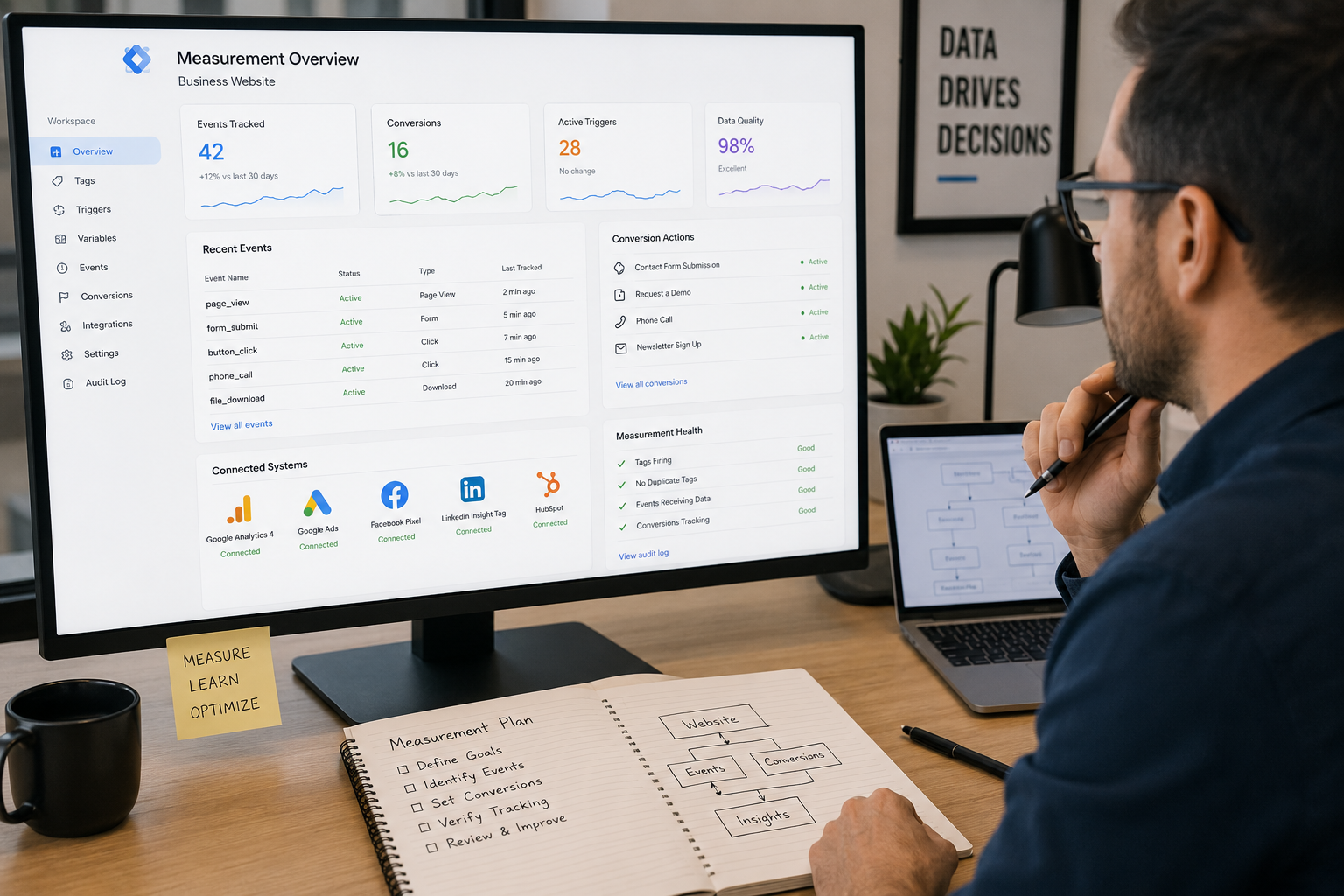
Better Website Tracking Starts With a Measurement Plan
A common mistake is building tracking around available tools instead of business priorities.
A company installs a new platform. The platform requests a tag. Someone adds it.
Then another platform is added.
Then another campaign.
Over time, the website may collect an assortment of tags and events without a clear measurement strategy behind them.
Professional website tracking should work in the opposite direction.
Start With Important User Actions
A service business might care about actions such as:
- Completing a qualified inquiry form
- Requesting a consultation
- Clicking an important contact option
- Reaching a meaningful stage in a lead process
- Completing another defined business action
An ecommerce business may have a different set of priorities.
The important point is that measurement should reflect what matters to the organization.
Decide What Each Event Means
Two teams can use the word "conversion" while referring to very different actions.
One person may consider any form submission a conversion. Another may reserve that term for a qualified lead or Purchase.
If event definitions are unclear, reports can become misleading even when the underlying technology works correctly.
A sound GTM plan establishes clearer definitions before those definitions are implemented.
Analytics Events Should Reflect Real User Behavior
Analytics events allow businesses to measure actions that happen on web pages.
But more events do not automatically produce better insight.
A business might technically be able to measure every scroll, click, video interaction, menu selection, and page element. That does not mean every interaction deserves equal attention.
The better question is whether the event contributes useful information.
For example, tracking a visitor clicking a key contact button may provide meaningful information about intent. Tracking dozens of minor interface interactions may create noise if nobody uses those events to make decisions.
The measurement plan should separate useful signals from unnecessary activity.
Conversion Events Need Clear Definitions
Conversion events deserve particular attention because businesses may use them to judge marketing performance.
If a conversion fires twice, reports can overstate results.
If it fails to fire, marketing may appear less effective than it really is.
If several unrelated actions use the same conversion definition, teams may misunderstand what their reports actually represent.
Google Tag Manager can provide the infrastructure for deploying and controlling measurement tags, but GTM cannot decide what your organization should consider a meaningful conversion.
That requires business context.
Masterly Tech approaches tracking from that perspective: define what matters first, then determine how the measurement environment should support it.
Marketing Tags Need Ownership
Every new marketing platform can introduce another request for website access or tracking code.
Without governance, websites can accumulate tags long after the original reason for adding them has disappeared.
That can create questions nobody can easily answer:
Who added this?
What does it measure?
Which platform receives the data?
Does the company still use that platform?
Would removing the tag affect another system?
This is why tracking governance matters. In google tag manager, clear ownership can improve collaboration between marketing teams and IT.
- Who can make changes, including different access levels for team members and contractors
Tracking Governance Creates Accountability
A basic governance approach can establish ownership around:
- What tags are approved
- Why they exist
- Which events they use
- Who can make changes
- How changes are reviewed
- How configurations are documented
- When old tags should be evaluated
- How tracking is tested after website changes
The purpose is not to make marketing slower.
It is to reduce uncertainty.
Google Tag Manager Can Reduce Direct Tag Changes to Website Code
Without a tag management solution, multiple tags may be added by directly editing site code.
A Tag Management Solution lets teams manage tags through one interface instead of repeatedly editing code snippets.
Google explains that Tag Manager allows tags and their firing behavior to be configured and published through its interface instead. The GTM container snippet is a piece of javascript code placed on every page of a website. GTM can support Google tags, third-party tags, and custom tags depending on the implementation.
This can make ongoing tag management more organized and reduce the risk of broken HTML code, but it does not eliminate the need for technical oversight.
A poorly planned GTM container can become just as confusing as a poorly managed collection of website scripts.
The goal should not be to move clutter from the website code into GTM.
The goal should be a cleaner measurement system.
The Data Layer Can Create a More Stable Measurement Foundation
More advanced website tracking may require information that is not available through a simple page load or URL.
Google Tag Manager's data layer provides a structured way for information to be made available to tags, triggers, and variables. Google recommends a well-organized data layer as a best practice in relevant implementations because it can support a more organized data model and simplify troubleshooting.
For a business, this matters when important measurement depends on information such as transaction details, content categories, user interactions, specific information, contextual information, or other structured website data.
The exact implementation should depend on the website and measurement requirements rather than using the same setup everywhere.
Tracking Should Account for Consent and Privacy Requirements
Measurement planning should not treat consent as an afterthought. Privacy planning increasingly affects browser-based tracking and first party data collection.
Google provides consent mode functionality that allows Google tags and SDKs to adjust their behavior based on a user's consent choices. Google also makes clear that businesses remain responsible for obtaining consent where required and ensuring tags respect those choices.
The correct setup depends on the business, technologies, jurisdictions, and applicable requirements, and data governance should align tagging choices with consent, privacy requirements, and first party data use.
For that reason, tracking governance should include appropriate review of privacy and consent requirements rather than assuming that installing GTM itself makes a website compliant.
Technical configuration should support the organization's approved privacy approach, not replace it. Server side tagging can improve performance and security by moving some tagging activity to the cloud, but it still requires proper governance.
NAdding More Marketing Tools Can Make Bad Tracking Worse
Suppose a business already has inconsistent event names, duplicate conversions, unclear tag ownership, and incomplete documentation.
The marketing team then adds another advertising platform, a new CRM integration, and another reporting tool.
The company now has more technology.
It does not necessarily have better information.
Each additional platform can depend on the same underlying website actions. If those actions are not defined consistently, new tools can multiply existing measurement problems.
That is why businesses should consider the tracking foundation before expanding the marketing stack.
A Practical Framework for Business Tag Management
Before expanding a GTM environment, businesses can evaluate four areas.
1. Business Actions
Identify which website interactions actually matter to the organization.
2. Event Definitions
Define what those interactions mean and how they should be named.
3. Tag Destinations
Determine which approved marketing or analytics systems need the information.
4. Governance
Establish who owns the setup, who can change it, how it is tested, how version control is handled, and how it is documented.
This framework keeps Google Tag Manager connected to business measurement instead of treating it as an isolated technical tool.
When Professional Google Tag Manager Support Makes Sense
Some businesses have simple measurement requirements and a small number of tags.
Others have multiple advertising channels, lead forms, marketing systems, conversion points, and teams making changes to the website.
Professional support becomes especially useful when:
- Teams do not trust existing reports
- Conversion definitions are inconsistent
- Nobody knows what some existing tags do
- Multiple systems depend on the same website actions
- New marketing platforms are being added
- Tracking breaks when the website changes
- There is no clear process for testing or approving tags, even though GTM includes Preview Mode and tools for easier testing and debugging of tags
As setups grow more complex, implementation resources and documentation become more important too.
These situations point to a measurement-management problem, not simply a missing tag.
Masterly Tech Helps Businesses Build a Cleaner Tracking Foundation
Masterly Tech helps businesses evaluate their digital measurement needs before adding unnecessary complexity.
The objective is to create a clearer relationship between important website actions, analytics events, conversion events, marketing systems, and the tags that support them.
Depending on the agreed project scope, that may involve evaluating tracking requirements, planning event structures, reviewing GTM needs, or coordinating technical implementation.
For businesses looking at their broader website performance and digital infrastructure, the most relevant existing Masterly Tech service or authority page should be linked here rather than creating another internal article that competes for Google Tag Manager intent.
Recommended internal link: Link to the most relevant existing Masterly Tech website optimization or related technical service page using descriptive anchor text such as website optimization services, provided that page accurately reflects the current service offering.
The goal is straightforward: know what needs to be measured before adding more tools that depend on that measurement.
Frequently Asked Questions About Google Tag Manager
What is Google Tag Manager?
Google Tag Manager is a tag management system for configuring and managing measurement and marketing tags on websites or apps.
What does GTM track?
GTM helps manage tags and rules across websites, apps, and mobile apps. Depending on implementation, it can support data collection in mobile environments as well as websites. What is actually measured depends on the tags, triggers, variables, destinations, and implementation.
Is Google Tag Manager the same as Google Analytics?
No. Google Tag Manager manages tag deployment and related configurations. Google Analytics is an analytics product that can receive measurement data. GTM can be used to configure Google Analytics tags.
Can Google Tag Manager track conversion events?
GTM can be configured to fire tags based on defined events and conditions, including actions used for conversion measurement. The business still needs clear definitions for what should count as a conversion.
Can GTM manage third-party marketing tags?
Google states that Tag Manager supports Google-specific tags, including google ads, plus meta and other tags from third-party platforms, as well as custom tags. For data collection, JavaScript tags are generally more flexible than image tags.
Why does tracking governance matter?
Tracking governance creates clearer ownership over which tags and events exist, why they are needed, who can change them, and how changes are reviewed. Note that governance expectations may differ between websites and mobile apps.
Should a business install more tags whenever it adds marketing software?
Not automatically. The business should first determine what the new system needs to measure, whether existing tracking already provides it, and how the new tag fits into the broader measurement structure.
Does using Google Tag Manager automatically make tracking privacy compliant?
No. Privacy and consent obligations depend on the business and applicable requirements. Google states that organizations remain responsible for obtaining users' consent where required and ensuring tags respect those choices.
Discuss a Measurement and Tracking Setup With Masterly Tech Group
If your business keeps adding marketing platforms but still questions how accurate its reports are, another tool may not be the first thing you need.
A better starting point is a clear measurement structure.
Cleaner tagging helps businesses collect data and analyze site activity more reliably.
Masterly Tech can help you evaluate how Google Tag Manager, website tracking, marketing tags, analytics events, conversion events, and tracking governance should fit into your broader digital environment based on the agreed project scope.
Call Masterly Tech at (888) 209-4055 or visit masterlytechgroup.com to discuss a measurement and tracking setup with Masterly Tech Group, including
GTM setups that load tags asynchronously to support website performance and cleaner measurement that can lead to better customer experiences across customer experiences.










