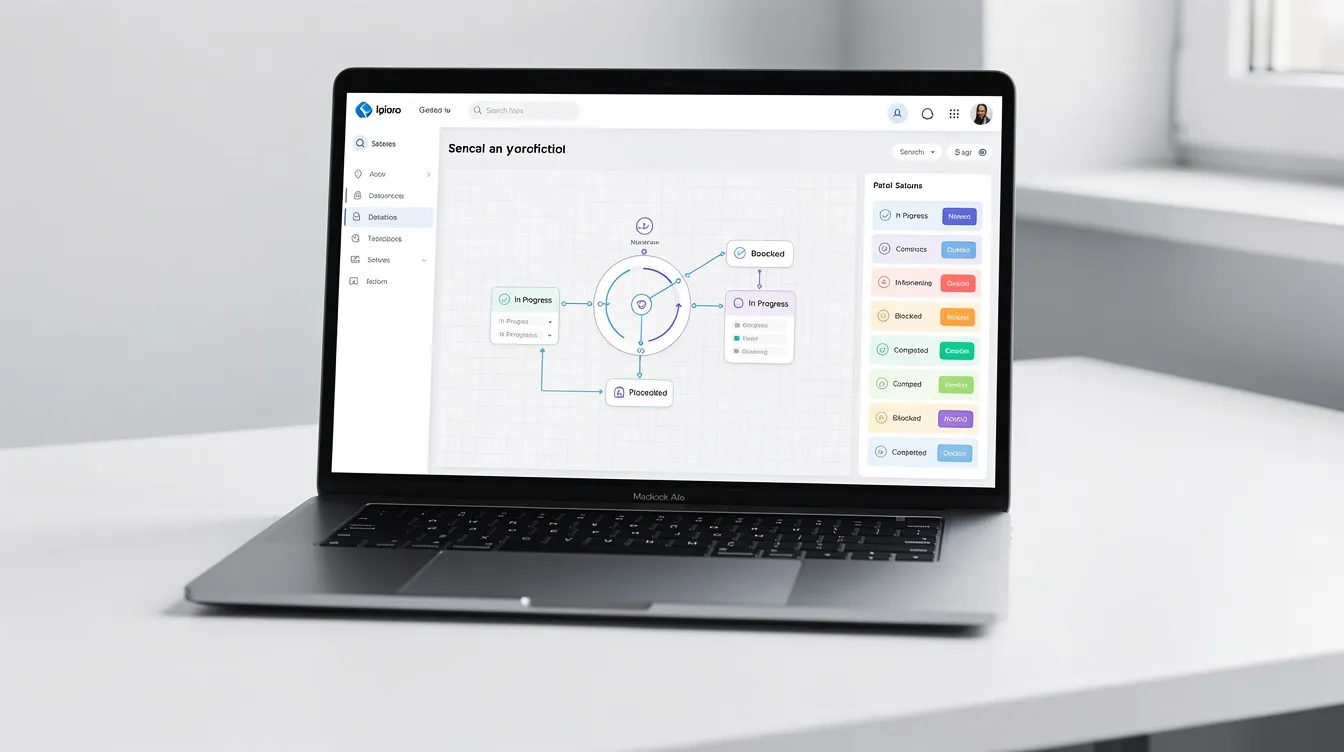
Workflow Automation Software: What to Automate First Before Complexity Creates More Work

August 24, 2026

Your business may have more employees, more customers, and more technology than it did a few years ago. Yet your team may still be spending time copying information, sending routine emails, chasing approvals, creating repetitive tasks, and checking whether someone completed the next step.

That is often when business leaders start looking at workflow automation software—technology that helps a business carry out or coordinate defined process steps with less manual work by triggering tasks, notifications, data movement, approvals, and other actions based on business rules

The promise is appealing. A system can move information, trigger actions, assign tasks, and connect business applications without requiring someone to manage every step manually. For organizations trying to improve operational efficiency, that can reduce friction between disconnected systems, cut unnecessary effort, and make day-to-day operations clearer without adding more administrative work.


But automation can also create more complexity when the wrong processes are automated first.


The problem is not always a lack of technology. Sometimes the business has not decided which work should be automated, who owns each step, what should trigger the next action, how exceptions should be handled, or when a person needs to step in.


Before choosing from dozens of workflow tools, it is worth solving the process problem first. This guide looks at where workflow automation software fits, which tasks and approvals are worth automating first, how process ownership and system integration affect results, and how to evaluate tools with a business-first approach instead of automating for its own sake.


Workflow Automation Software Should Solve a Business Problem, Not Add Another System

Workflow automation software is designed to help businesses coordinate defined steps in a process with less manual intervention.


A well-designed workflow may capture information, create a task, update a record, notify the right employee, request an approval, or move information between connected systems.


That can reduce repetitive work.


But the software does not know your business automatically.


It does not know which employee owns a task, which requests need approval, which exceptions require human review, or which system should be the source of truth.


Those decisions belong to the business.


This is why automation works best when the organization first understands the process it wants technology to support.


The First Question Should Be: What Is Creating the Most Friction?

A common mistake is starting with the software.


Leaders compare platforms, features, integrations, and pricing before identifying the work that is causing the most operational friction.

A better starting point is the business problem.


Workflow automation software is a type of workflow software used in business process automation.


The system can automate business processes and automate tasks within defined workflows, not just coordinate steps.


Where are employees repeating the same action every day and losing workplace productivity to tedious tasks?


Where does manual data entry happen more than once?


Where are people waiting for approvals in otherwise simple processes?


Where do tasks get forgotten?


Where do employees have to check several systems to know what happens next?


Where does a process depend on one person remembering a routine step?


These questions often reveal opportunities for automation without requiring the business to automate everything, and they can reduce manual processes and manual tasks when the rules are defined clearly.


Masterly Tech's current workflow automation guidance takes this business-first approach, focusing on repetitive processes, disconnected systems, task handoffs, and the distinction between work that can be automated and work that should remain human, because exceptions still require human review and poor setup can increase human error instead of reducing it.


What Workflow Automation Software Is Usually Best at Handling

Not every task is a good automation candidate.


The strongest opportunities are often repetitive, predictable, and based on clear rules, especially where automation capabilities can optimize workflows without adding complexity.

Ask:

  • Where does manual data entry happen more than once?
  • Which approvals follow the same route every time?
  • What tedious tasks keep pulling people away from higher-value work and reduce workplace productivity?


Even simple processes can be worth automating when they happen frequently.

That usually includes work that moves between people, systems, or departments and slows down because someone has to chase, copy, check, or re-enter information. Common business applications include sales, finance, HR, and customer service. That is often where workflow automation delivers quick,

practical wins.


Task automation

If a specific event always creates the same next task, task automation may reduce the need for someone to remember it manually, and the strongest automation capabilities are usually found in repetitive, predictable work.


For example, a completed form could trigger an internal task for the appropriate team member, simplifying assigning tasks, supporting task management, and helping monitor tasks based on how the business wants to optimize workflows, not just what the software can do.


Automated approvals

Some businesses have routine requests that follow clear approval rules, and task automation helps with assigning tasks as part of day-to-day task management through automation rules.


An automated approval workflow can route the request to the appropriate person, record the decision, and make it easier to monitor tasks after assignment without relying entirely on email reminders.


Information movement

When employees repeatedly copy information from one business application to another, often based on clear automation rules, there may be an opportunity to use automation instead of manual data transfers across multiple systems.


Workflow automation software can also connect with your existing tech stack to keep data moving consistently between tools.

Finance tools often use this to automate budget approvals and invoicing.


Standard notifications

Routine confirmations, internal alerts, and status notifications can often follow predefined rules.


Repetitive status updates

When a record changes in one system and the same status needs to be reflected elsewhere, automation may reduce the administrative work involved.

These examples are not universal recommendations. The right opportunity depends on how your business operates and what systems are already in place.


Your Business Workflows Need Clear Ownership

Automation becomes difficult when nobody clearly owns the process.


Imagine a request enters the business.


One employee receives it.


Another person is expected to review it.


A third person approves it.


No one is certain who is responsible for the next step.


Automating that process will not solve the ownership problem.


It can simply make the confusion happen faster.


Before building automation, the business should know who is responsible for each stage.


That creates a clearer foundation for technology.


It also makes it easier to determine when the system should act automatically and when it should alert a person.


Exceptions Matter as Much as the Normal Workflow

A process can look simple until something unexpected happens.


A customer provides incomplete information.


An employee rejects a request.


A payment does not go through.


A high-value client needs special handling.


A manager wants to review something personally.


These situations are exceptions.


A good automation strategy accounts for them rather than assuming every process follows one perfect path.

Before building automation, involve stakeholders early to ensure end-user alignment around ownership and handoffs.


This is especially important for businesses where customers expect personal attention.


Automation can handle the predictable part of the workflow while sending unusual cases to the right person, with clear error handling for the moments when a step fails or needs review.


That creates a better balance between efficiency and human judgment.


System Integration Can Remove Hidden Administrative Work

Growing businesses often use many systems.


Marketing may have one application. Sales may use a CRM. Operations may have a project management system. Finance may use another platform.

Each tool can work well on its own.


The problem appears between them.


Employees may have to copy information from one system to another. Someone may download a spreadsheet and upload it somewhere else. A team member may check one platform to discover what happened in another.


That manual effort becomes part of the workflow.


System integration can help connected applications exchange information when the right conditions are met, and strong integration capabilities matter most when processes span multiple systems or functions like document management. The goal is not to connect every tool a company owns. It is to connect the systems that matter to the process being improved.


A good automation strategy accounts for them, including error handling when a workflow does not follow the normal path.

Masterly Tech's existing workflow content also identifies disconnected systems and manual information handoffs as common sources of operational

friction.

Not Every Process Should Be Automated

The goal should not be maximum automation.


Some work needs human judgment.


A sensitive customer issue may require a conversation. A complex business decision may require context. A unique request may not fit a standard rule, especially in complex workflows.


Automation is useful when it supports the people responsible for the work.


It becomes less useful when a business tries to remove human involvement from decisions that depend on experience, empathy, negotiation, or professional judgment, or when teams only check whether connected applications can exchange information instead of evaluating integration capabilities. Some processes also depend on connected document management systems.


The best workflows know where automation ends and where a person takes over


How to Evaluate Workflow Tools Before You Commit

Once you understand the process, evaluating workflow tools becomes easier, especially when comparing the best workflow automation tools and newer automation tools in 2026 against your real use case.


Instead of asking which tool has the most features, compare each option against your actual requirements to find the best workflow, while keeping in mind that even complex workflows still need a clear point where a person takes over.


Does it support your business workflows?

The platform should help you find the best workflow automation tools for your business by fitting the processes you need to manage instead of forcing the business into an unfamiliar structure. That means checking whether people with limited technical expertise can create workflows through a drag and drop interface or low code builder, and whether business users can create custom workflows that match day-to-day operations.


It should also support custom workflows for teams that need more control, including customizable workflows that let departments shape their own workflows without depending on rigid templates. As of August 2026, the main categories of workflow automation tools include no-code automation, customizable builders, and enterprise integration platforms.


Scrutinize suitable vendors by conducting proof of concepts before committing so you can confirm the best workflow fit in practice.


Can it support the necessary integrations?

Review how the system connects with the applications your business already depends on, and make sure it lets your business create workflows that match its real process instead of forcing an unfamiliar structure. Business users should be able to create custom workflows or adjust their own workflows with limited technical expertise, whether that means linking Google Sheets for AI-powered data handling or connecting a project management tool to automate task flow. Visual workflow builders, low code options, and a drag and drop interface make it easier for teams to map processes without coding.


Can it handle approvals and exceptions?

A workflow should not break simply because a request falls outside the standard path. That matters when you need connections to tools like Google Sheets or a project management tool, and the platform’s automation logic has to handle exceptions without manual fixes. Integration breadth also varies widely, with some platforms such as Zapier offering over 9,000 app integrations and Activepieces supporting over 450 integrations. That becomes even more important in advanced workflows where multiple steps, conditions, and handoffs have to keep running reliably.


Can your team maintain it?

Someone will need to review, update, and manage the automation as your business changes, so the platform should support advanced workflows with automation logic for approvals, branching, and exception paths instead of failing outside the standard route. That matters whether you have technical teams that can manage more complexity, enterprise teams coordinating work across departments, or a tool with a steep learning curve that could slow adoption.


Can you see what is happening?

Good visibility matters when a workflow fails, a task is delayed, or information does not move as expected, especially when a steep learning curve makes automation harder to maintain over time. Strong platforms also support data analysis so teams can spot patterns, improve decisions, and get clearer insight into performance. Process monitoring helps teams track work in motion, catch bottlenecks early, and see where handoffs break down. Some platforms fit technical teams better, while others are more practical for enterprise teams that need broader day-to-day ownership.


Can the system grow with the business?

An automation project that works for one small process should not become impossible to manage when additional departments and workflows are added, especially when businesses need to manage workflows across multiple teams and monitor where failures or delays occur. Many automation platforms also provide dashboards and analytics to support data analysis and performance tracking. Real-time reporting can provide deeper insights into workflow performance.


When Process Automation Software Is More Valuable Than Another Hire

Businesses sometimes respond to growing administrative work by adding more people.

That may be necessary.


But if employees are being added primarily to perform repetitive actions, there may be a process issue worth examining first.

Process automation software can potentially handle parts of structured work while employees focus on tasks that need judgment, communication, and expertise.


Consider a process where five people repeatedly move information between systems. As more teams and departments are added, the system should still be practical to manage workflows and automate repetitive tasks without simply expanding the same handoffs.


Hiring another person may increase the number of people performing the same work.


Improving the workflow may address the reason that work exists in the first place.


That does not mean every manual process should be automated. It means staffing decisions and automation decisions should be evaluated together.


Masterly Tech Can Help Turn Complex Processes Into Practical Automation

Masterly Tech works with businesses to examine workflows, identify repetitive processes, connect systems, and determine where automation makes practical sense, especially when the goal is to automate business processes or handle repetitive tasks through software instead of hiring for them.


The company already provides workflow automation guidance centered on business processes, system handoffs, task creation, routine notifications, and the boundary between automation and human judgment, with a focus on custom workflows that fit how each business actually operates.


That business-first approach matters because automation projects often fail when technology is selected before the process is clearly defined.

Masterly Tech can help organizations assess:


Process structure: What happens today and where work gets delayed.


Ownership: Who is responsible for each stage.


Triggers: What should cause the next action.


Exceptions: Where human review is required.


System integration: Which platforms need to exchange information.


Task automation: Which recurring steps can be handled more consistently by technology to optimize workflows.


Human checkpoints: Where employees should remain directly involved.


The aim is not to build the most complicated automation system possible.


It is to build a system that makes the business easier to operate.


A Better Automation Strategy Starts With Simplicity

The best first workflow is not necessarily the most impressive one.


It is often the process that happens frequently, follows clear rules, creates unnecessary administrative work, and has a measurable business purpose.

Starting there gives leaders a clearer way to evaluate the value of automation before expanding it across the organization.

It also helps prevent a common problem: adding so many automated rules that employees no longer understand how the system works.

Good automation should make the process clearer.

Not harder.


Expand Automation With AI Without Losing Process Control

Modern automated workflows are moving beyond simple rule-based tasks. Businesses can now use AI workflow automation to review information, summarize requests, route work, and support decisions across connected systems. An AI workflow automation platform can bring AI workflows, AI workflow tools, and traditional automation into one environment, while an AI assistant or specialized AI agents can support defined tasks. Use cases may include intelligent document processing, where information from business documents is reviewed and routed into the appropriate workflow. These capabilities can help businesses automate processes that once required repetitive manual work while improving process visibility across teams.


The technology also needs to fit the people using it. Some AI tools and workflow platforms are designed for non technical users with visual workflow design, while more complex projects may involve software development, APIs, or connections between multiple tools. Businesses should also compare available AI features, data handling practices, data protection, and regulatory compliance requirements before choosing a platform. Pricing matters too, since some providers offer a free plan while others limit advanced capabilities to paid plans. The right solution is not simply the platform with the most AI capabilities. It is the one that can support your business processes while keeping workflows understandable, secure, and manageable as automation grows.


professional subject/scene, one process or comparison visual workflow automation software

Frequently Asked Questions About Workflow Automation Software

What is workflow automation software?

Workflow automation software uses technology to perform or coordinate defined steps in a business process with less manual work. It can trigger tasks, notifications, data movement, approvals, and other actions based on business rules.


What are workflow tools?

Workflow tools are applications used to build, manage, or automate defined business processes. The right tool depends on the organization's workflows, systems, and operational needs.


What is process automation software?

Process automation software helps businesses use technology to handle repeatable steps within structured processes rather than relying entirely on manual work.


What types of tasks can workflow automation handle?

Common candidates include routine notifications, task creation, information transfers, status updates, approvals, and other repetitive actions that follow clear rules.


Should every business process be automated?

No. Processes that require significant judgment, empathy, strategy, or complex decisions may need meaningful human involvement.


Why is system integration important?

System integration can reduce manual work by allowing connected applications to exchange information as part of a defined workflow. The appropriate integrations depend on the systems and process involved.


How do I choose the right workflow automation software?

Start by defining your business workflows, ownership, triggers, exceptions, integration requirements, and human checkpoints. Then compare software based on those needs rather than choosing by features alone.


Can Masterly Tech help with workflow automation?

Yes. Masterly Tech helps businesses evaluate workflows and identify practical opportunities for automation, system integration, and task automation based on how the organization actually operates.


Automate the Right Work Before You Automate More Work

The purpose of workflow automation software is not to make every business process automatic.

It is to reduce unnecessary manual effort while helping people focus on the work that requires them.

That starts with understanding your business workflows.


Identify the repetitive steps. Clarify ownership. Define the triggers. Plan for exceptions. Decide where information needs to move. Keep people involved where judgment matters.


Then choose technology that supports that structure.


Masterly Tech can help organizations evaluate those decisions before implementation, with an approach focused on practical workflow improvement, system integration, and automation that fits the way the business operates.


Discuss a Workflow and Automation Plan With Masterly Tech Group

Before investing in workflow automation software, discuss your processes, automation priorities, system integration needs, and human checkpoints with Masterly Tech Group.


Call (888) 209-4055 to discuss a workflow and automation plan with Masterly Tech Group.


website audit, technical SEO, indexing, analytics, conversion, performance
August 24, 2026
Use a website audit checklist to review technical checks, indexing, analytics setup, conversions, and website performance before investing more in business growth.
CRM strategy, sales pipeline, lead stages, client journey, CRM workflows, CRM reporting
August 24, 2026
Build a CRM strategy with sales pipelines, lead stages, client journeys, CRM workflows, and reporting to improve sales, customer retention, and business growth.
web analytics, website metrics, traffic analysis, user behavior, conversion data
August 24, 2026
Discover web analytics with website metrics, traffic analysis, conversion data, user behavior insights, acquisition channels, and effective marketing measurement.
Marketing automation software dashboard
August 24, 2026
Marketing automation software for lead nurturing, workflows, CRM integration, customer journeys, and automation tools that help businesses grow and convert leads.
GA4 dashboard showing website measurement, events, conversions, and business KPIs.
August 21, 2026
GA4 improves website measurement with Google Analytics 4 events, conversions, analytics implementation, marketing reporting, and meaningful business KPIs today.
Local SEO audit checklist for better local rankings.
August 21, 2026
Local SEO audit reviews Google Business Profile, local citations, location pages, reviews, and local rankings to uncover issues hurting local search visibility.
Conversion tracking dashboard for leads, calls, forms, and qualified lead reporting.
August 21, 2026
Conversion tracking connects lead tracking, calls, forms, and conversion events with attribution, marketing measurement, and accurate qualified lead reporting.
Website monitoring dashboard for uptime, website health, and conversions.
August 21, 2026
Website monitoring protects website health with uptime checks, broken link detection, form monitoring, index monitoring, and reliable conversion monitoring.
Small business CRM software dashboard for lead and client management.
August 21, 2026
CRM software for small business strengthens customer relationship management with lead management, sales pipelines, CRM integrations, and client workflows.
August 21, 2026
Your business may have analytics software, advertising platforms, forms, landing pages, call tracking, email campaigns, and other marketing tools connected to the same website. But can you trust what they are measuring? A form submission may appear as a lead in one system but not another. A button click may be tracked twice. An old marketing tag may still be running months after a campaign ends. A new tool may be added without anyone checking how it affects the existing measurement setup. Adding another platform rarely fixes this problem. Businesses and marketing teams often need a clearer measurement structure first. Google Tag Manager is a tag management system that helps businesses organize how measurement and marketing tags are managed on a website through a web interface instead of managing every tag directly in the site’s code. For businesses, the value is not simply having Google Tag Manager installed. The real value comes from deciding what should be measured, how events should be defined, how a measurement plan should be structured, and how the tracking environment should be governed. That includes how Google Tag Manager works in practice, which tags belong on the site, how privacy and consent should be handled, and when professional GTM support is worth bringing in. Without that structure, more tools often mean less reliable data: duplicate tracking, inconsistent reports, weak accountability, and decisions based on measurement that is incomplete or wrong. Masterly Tech helps businesses think through that measurement structure before more marketing tools create more tracking complexity. Google Tag Manager Should Start With Business Questions A business does not need to track every possible interaction. It needs to track the interactions that help explain what visitors are doing and whether important business actions are happening. Before adding mor e marketing tags, a company should be able to answer questions such as: Which website actions represent meaningful engagement? Which actions represent a lead or another important business outcome? Which marketing systems need particular information? Are multiple platforms tracking the same action? Who decides when a new tag should be added? Who checks whether tracking still works after website changes? These questions move the conversation away from collecting more data and toward collecting more useful data. What Google Tag Manager Actually Manages Google Tag Manager organizes measurement through several core components, including tags, triggers, variables, and the data layer. A tag can send information to another system, while a trigger determines when that tag should fire. Variables provide values that tags and triggers can use. For example, a business may want to measure when someone submits a particular form. The form submission is the action. A trigger can listen for the relevant event, and a configured tag can send the appropriate measurement information to its destination when the defined conditions are met. Google notes that GTM triggers can respond to events such as form submissions, clicks, and page views. The technical configuration matters, but the business decision comes first: Should this action be tracked, what should it mean, and where should the information go? That is the foundation of us eful tag management. Better Website Tracking Starts With a Measurement Plan A common mistake is building tracking around available tools instead of business priorities. A company installs a new platform. The platform requests a tag. Someone adds it. Then another platform is added. Then another campaign. Over time, the website may collect an assortment of tags and events without a clear measurement strategy behind them. Professio nal website tracking should work in the opposite direction. Start With Important User Actions A service business might care about actions such as: Completing a qualified inquiry form Requesting a consultation Clicking an important contact option Reaching a meaningful stage in a lead process Completing another defined business action An ecommerce business may have a different set of priorities. The important point is that measurement should reflect what matters to the organization. Decide What Each Event Means Two teams can use the word "conversion" while referring to very different actions. One person may consider any form submission a conversion. Another may reserve that term for a qualified lead or Purchase. If event definitions are unclear, reports can become misleading even when the underlying technology works correctly. A sound GTM plan establishes clearer definitions before those definitions are implemented. Analytics Events Should Reflect Real User Behavior Analytics events allow businesses to measure actions that happen on web pages. But more events do not automatically produce better insight. A business might technically be able to measure every scroll, click, video interaction, menu selection, and page element. That does not mean every interaction deserves equal attention. The better question is whether the event contributes useful information. For example, tracking a visitor clicking a key contact button may provide meaningful information about intent. Tracking dozens of minor interface interactions may create noise if nobody uses those events to make decisions. The measurement plan should separate useful signals from unnecessary activity. Conversion Events Need Clear Definitions Conversion events deserve particular attention because businesses may use them to judge marketing performance. If a conver sion fires twice, reports can overstate results. If it fails to fire, marketing may appear less effective than it really is. If several unrelated actions use the same conversion definition, teams may misunderstand what their reports actually represent. Google Tag Manager can provide the infrastructure for deploying and controlling measurement tags, but GTM cannot decide what your organization should consider a meaningful conversion. That requires business context. Masterly Tech approaches tracking from that perspective: define what matters first, then determine how the measurement environment should support it. Marketing Tags Need Ownership Every new marketing platform can introduce another request for website access or tracking code. Without governance, websites can accumulate tags long after the original reason for adding them has disappeared. That can create questions nobody can easily answer: Who added this? What does it measure? Which platform receives the data? Does the company still use that platform? Would removing the tag affect another system? This is wh y tracking governance m atters. In google tag manager, clear ownership can improve collaboration between marketing teams and IT. Who can make changes, including different access levels for team members and contractors Tracking Governance Creates Accountability A basic governance approach can establish ownership around: What tags are approved Why they exist Which events they use Who can make changes How changes are reviewed How configurations are documented When old tags should be evaluated How tracking is tested after website changes The purpose is not to make marketing slower. It is to reduce uncertainty. Google Tag Manager Can Reduce Direct Tag Changes to Website Code Without a tag management solution, multiple tags may be added by directly editing site code. A Tag Management Solution lets teams manage tags through one interface instead of repeatedly editing code snippets. Google explains that Tag Manager allows tags and their firing behavior to be configured and published through its interface instead. The GTM container snippet is a piece of javascript code placed on every page of a website. GTM can support Google tags, third-party tags, and custom tags depending on the implementat ion. This can make ongoing tag management more organized and reduce the risk of broken HTML code, but it does not eliminate the need for technical oversight. A poorly planned GTM container c an become just as confusing as a poorly managed collection of website scripts. The goal should not be to move clutter from the website code into GTM. The goal should be a cleaner measurement system. The Data Layer Can Create a More Stable Measurement Foundation More advanced website tracking may require information that is not available through a simple page load or URL. Google Tag Manager's data layer provides a structured way for information to be made available to tags, triggers, and variables. Google recommends a well-organized data layer as a best practice in relevant implementations because it can support a more organized data model and simplify troubleshooting. For a business, this matters when important measurement depends on information such as transaction details, content categories, user interactions, specific information, contextual information, or other structured website data. The exact implementation should depend on the website and measurement requirements rather than using the same setup everywhere. Tracking Should Account for Consent and Privacy Requirements Measurement planning should not treat consent as an afterthought. Privacy planning increasingly affects browser-based tracking and first party data collection. Google provides consent mode functionality that allows Google tags and SDKs to adjust their behavior based on a user's consent choices. Google also makes clear that businesses remain responsible for obtaining consent where required and ensuring tags respect those choices. The correct setup depends on the business, technologies, jurisdictions, and applicable requirements, and data governance should align tagging choices with consent, privacy requirements, and first party data use. For that reason , tracking governance should include appropriate review of privacy and consent requirements rather than assuming that installing GTM itself makes a website compliant. Technical configuration should support the organization's approved privacy approach, not replace it. Server side tagging can improve performance and security by moving some tagging activity to the cloud, but it still requires proper governance. NAdding More Marketing Tools Can Make Bad Tracking Worse Suppose a business already has inconsistent event names, duplicate conversions, unclear tag ownership, and incomplete documentation. The marketing team then adds another advertising platform, a new CRM integration, and another reporting tool. The company now has more technology. It does not necessarily have better information. Each additional platform can depend on the same underlying website actions. If those actions are not defined consistently, new tools can multiply existing measurement problems. That is why businesses should consider the tracking foundation before expanding the marketing stack. A Practical Framework for Business Tag Management Before expanding a GTM environment, businesses can evaluate four areas. 1. Business Actions Identify which website interactions actually matter to the organization. 2. Event Definitions Define what those interactions mean and how they should be named. 3. Tag Destinations Determine which approved marketing or analytics systems need the information. 4. Governance Establish who owns the setup, who can change it, how it is tested, how version control is handled, and how it is documented. This framework ke eps Google Tag Manager connecte d to business measurement instead of treating it as an isolated technical tool. When Professional Google Tag Manager Support Makes Sense Some businesses have simple measurement requirements and a small number of tags. Others have multiple advertising channels, lead forms, marketing systems, conversion points, and teams making changes to the website. Professional support becomes especially useful when: Teams do not trust existing reports Conversion definitions are inconsistent Nobody knows what some existing tags do Multiple systems depend on the same website actions New marketing platforms are being added Tracking breaks when the website changes There is no clear process for testing or approving tags, even though GTM includes Preview Mode and tools for easier testing and debugging of tags As setups grow more complex, implementation resources and documentation become more important too. These situations point to a measurement-management problem, not simply a missing tag. Masterly Tech Helps Businesses Build a Cleaner Tracking Foundation Masterly Tech helps businesses eva luate their digital measurement needs before adding unnecessary complexity. The objective is to create a clearer relationship between important website actions, analytics events, conversion events, marketing systems, and the tags that support them. Depending on the agreed project scope, that may involve evaluating tracking requirements, planning event structures, reviewing GTM needs, or coordinating technical implementation. For businesses looking at their broader website performance and digital infrastructure, the most relevant existing Masterly Tech service or authority page should be linked here rather than creating another internal article that competes for Google Tag Manager intent. Recommended internal link: Link to the most relevant existing Masterly Tech website optimization or related technical service page using descriptive anchor text such as website optimization services, provided that page accurately reflects the current service offering. The goal is straightforward: know what needs to be measured be fore adding more tools that depend on that measurement.